
Table of Contents
Introduction
If you’re a college or university student, or a teacher who codes, this guide is for you. In the next few minutes, you’ll learn how to unlock all the main JetBrains IDEs, AI tools, and learning plugins without paying anything. The setup usually takes about 3–5 minutes if you have your details are ready. This guide is updated for 2026 and follows the latest JetBrains Student Pack application process, so you don’t have to see any other post after this.
What Is the JetBrains Student Pack?
The JetBrains Student Pack is a free bundle that gives students and teachers full access to JetBrains’ professional developer tools while they are studying or teaching.
With this pack, you can install premium IDEs such as IntelliJ IDEA, PyCharm, WebStorm, CLion, Rider, DataGrip, PhpStorm, GoLand, RubyMine, and more. You also get learning plugins and built-in courses that work directly inside the IDEs.
For regular users, this kind of all-in-one access costs real money every year. But with the student program, you pay nothing as long as you remain eligible.
Each educational license usually lasts one year and must be renewed every year. It is meant only for studying, teaching, and non-commercial projects.
Who Is Eligible for the JetBrains Student Pack?
Who Qualify
- You qualify if you’re a student enrolled at an accredited college or university in a program that takes at least one full year to complete.
- You also qualify if you already have the GitHub Student Developer Pack and use it to confirm that you’re a verified student.
- Teachers and faculty members at a recognized school, college, or university also qualify.
Who Does NOT Qualify
- You do not qualify if you’re only enrolled in a short bootcamp or online course that lasts less than one year. These programs must apply for separate classroom or bootcamp licenses.
- You also don’t qualify if you’re taking paid training courses or studying at a private academy that is not officially accredited.
- If you’re self-taught and not currently enrolled anywhere, you won’t be eligible. In that case, you can look into free trials, non-commercial options, or other beginner-friendly tools offered by your school or local community.
Quick Checklist Before You Apply
Before you start, make sure you have atleast one of these ready:
- A college or university email.
- GitHub Student Developer Pack applied , or an ISIC/ITIC student card.
- You must be enrolled in an accredited program that lasts at least one year.
- Basic proof of enrollment such as your student ID, or another official school document, in case JetBrains asks for extra verification.
- Finally, make sure you can receive emails in the inbox you’ll use, and check that messages from JetBrains are not blocked or sent to spam.
How to Get JetBrains Student Pack for Free (Step-by-Step)
Step 1: Go to the JetBrains website
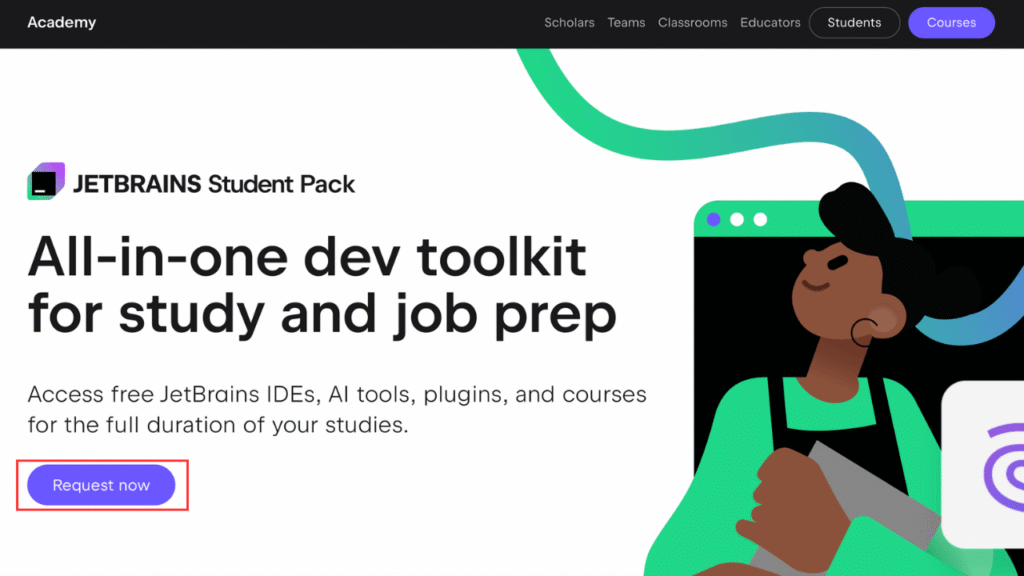
- Go to this website JetBrains Student Pack.
- You will see the following page as you can see in Pic 1 and now click on Request now.
Step 2: Choose your verification method
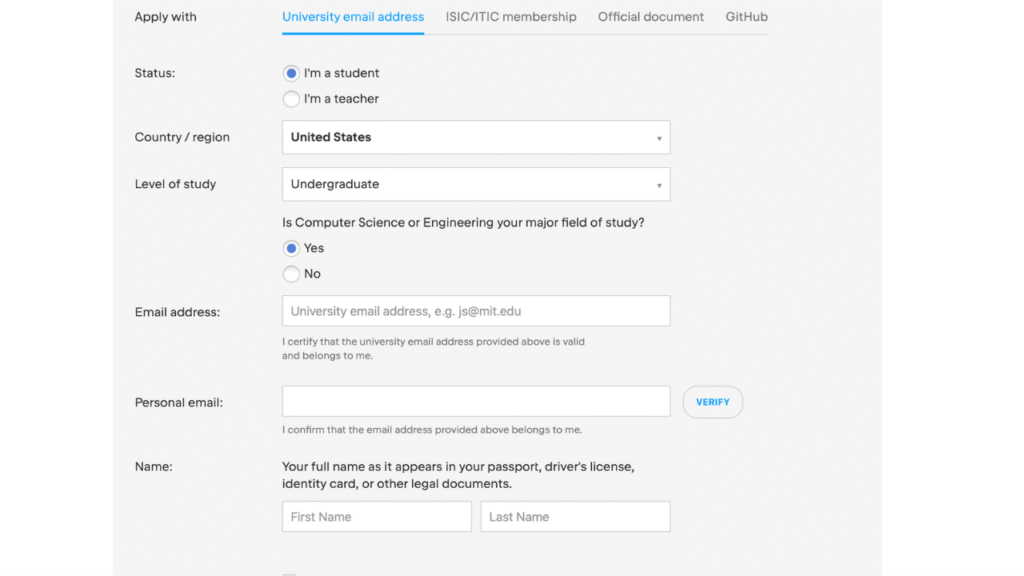
- Now after clicking on Request now you can see page where you can select your method to verify your student status.
1) University email address
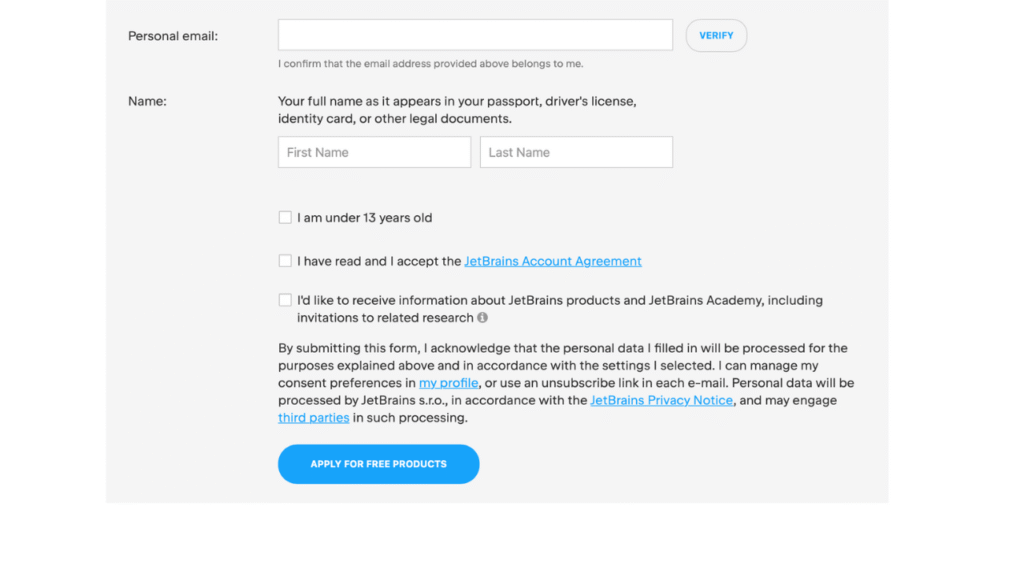
- Select your status in this case student, your country and fill in all the details as you can see in Pic 2.
- Make sure to put your student email and verify your personal email.
- After verification create your jetBrains account with your student email and there you can see your license.
2) ISIC/ITIC membership
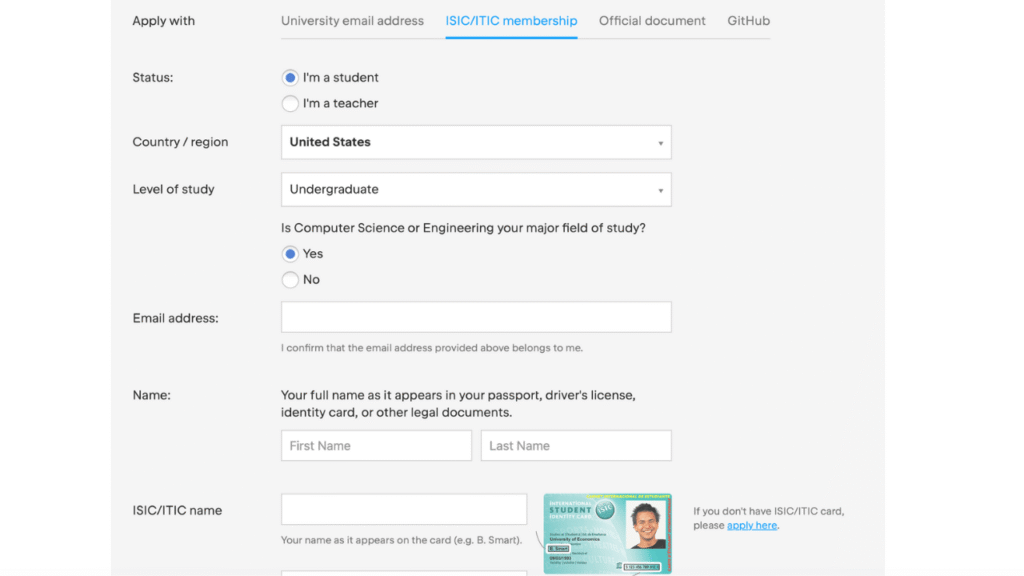
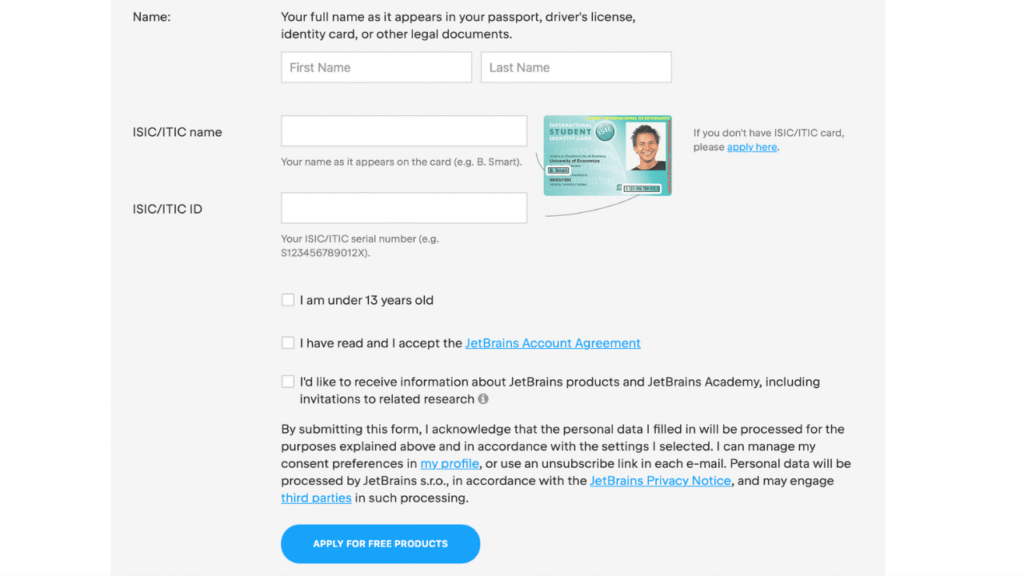
- ISIC stands for International Student Identity Card, and ITIC is International Teacher Identity Card. These are official plastic cards that prove you’re a student or teacher, accepted in over 130 countries.
- For this also enter your card number and other all information and click apply.
3) official documents
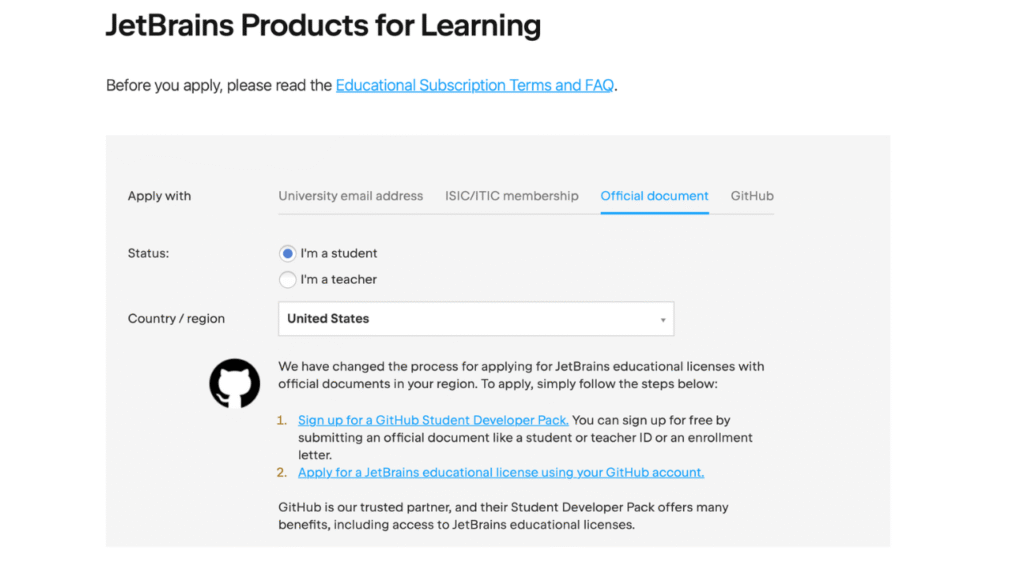
- Here select your country, i have selected United States so it asked to sign up for Github student developer pack and apply for jetBrains Educational license using Github.
- The good news is you can check out my post on How to Get the GitHub Student Developer Pack for Free the best post on topic and follow along with next method of applying jetBrains Educational license using Github.
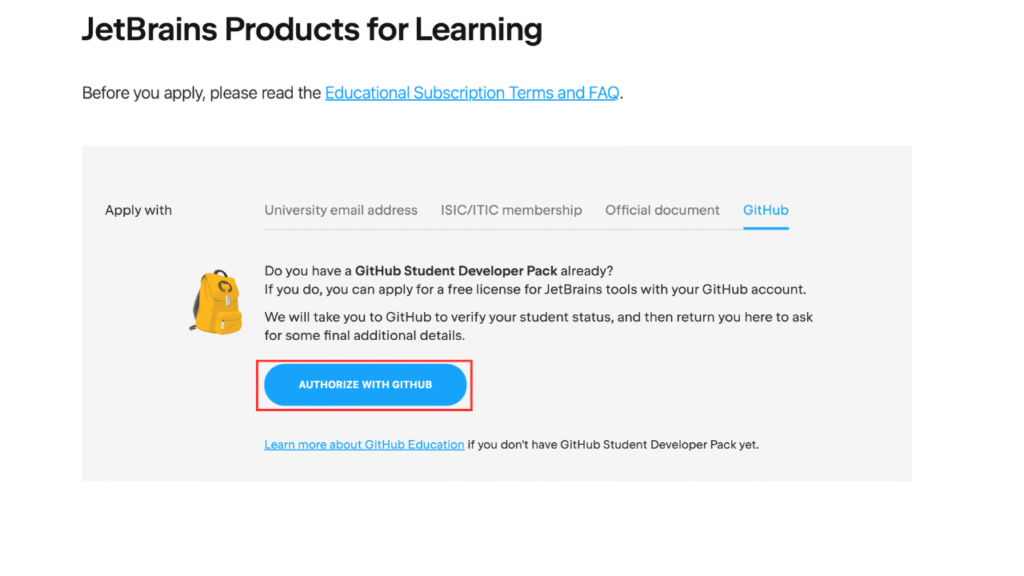
4) GitHub
- This is the method i personally used and is really easy because you get so much other benefits with GitHub.
- First click on Authorize with GitHub as you can see in Pic 8.
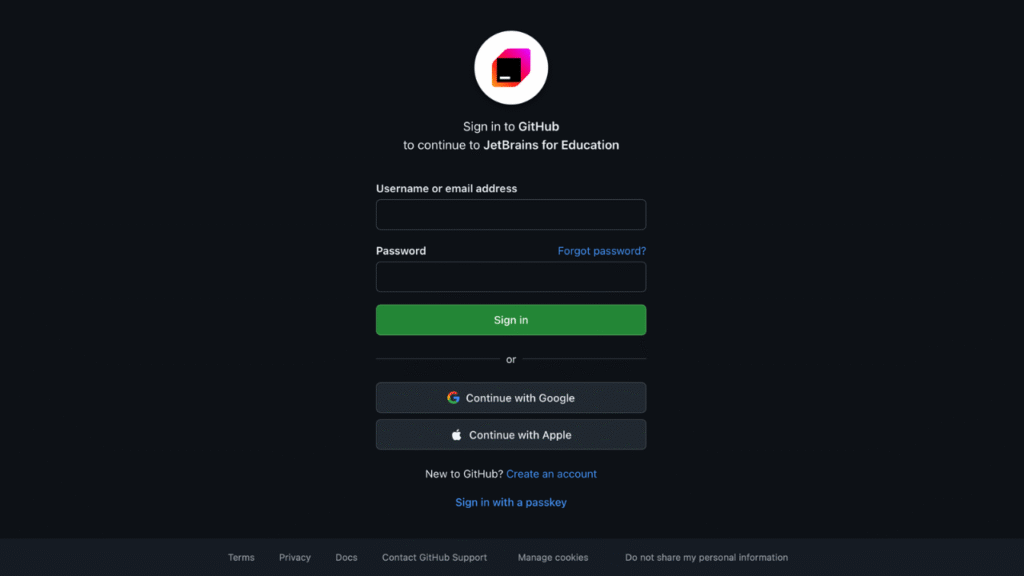
- Now sign in into your GitHub account on which you already have Github student developer pack.
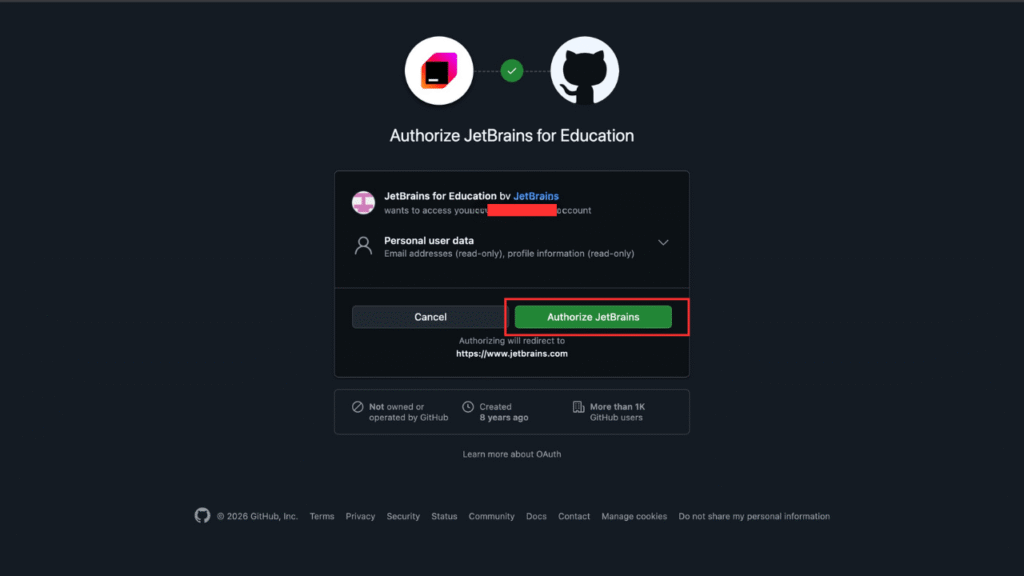
- After that as you can see in Pic 10 click on Authorize JetBrains.
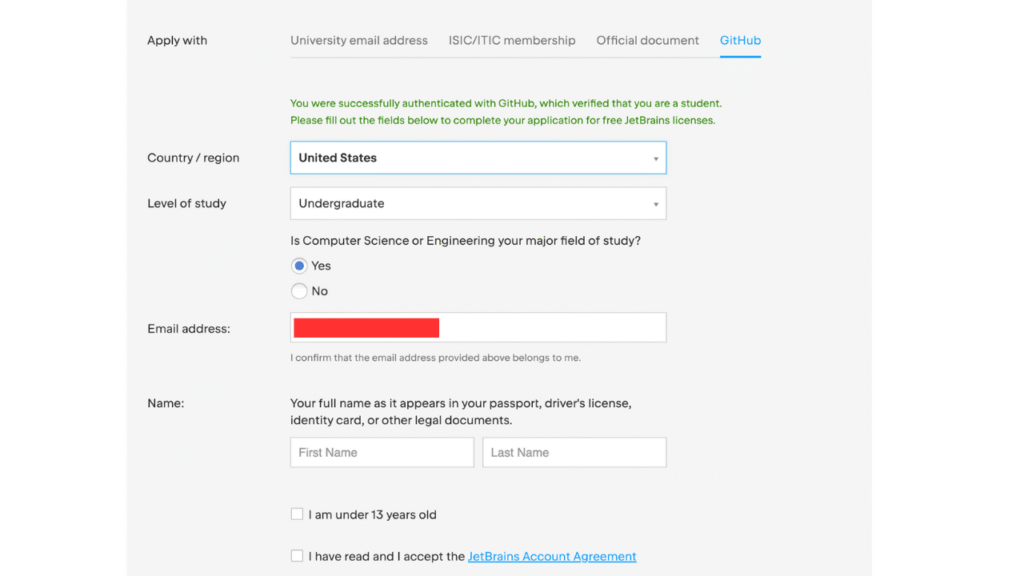
- Now if it was successful it will direct you to the page as you can see in Pic 11 and will ask you to fill all the information.
- If it was unsuccessful check again if the account have GitHub student developer pack or not, or maybe some other technical issues.
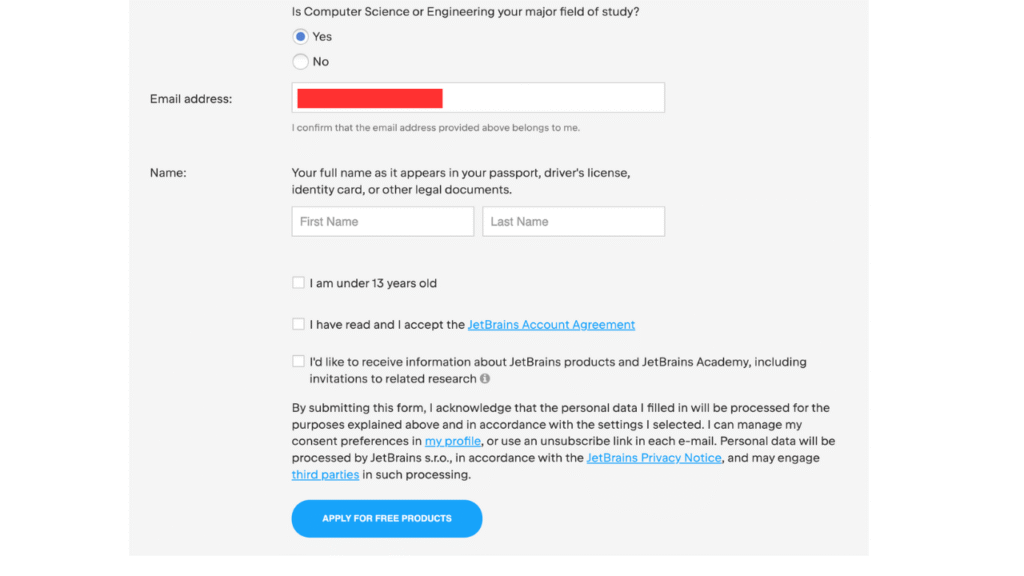
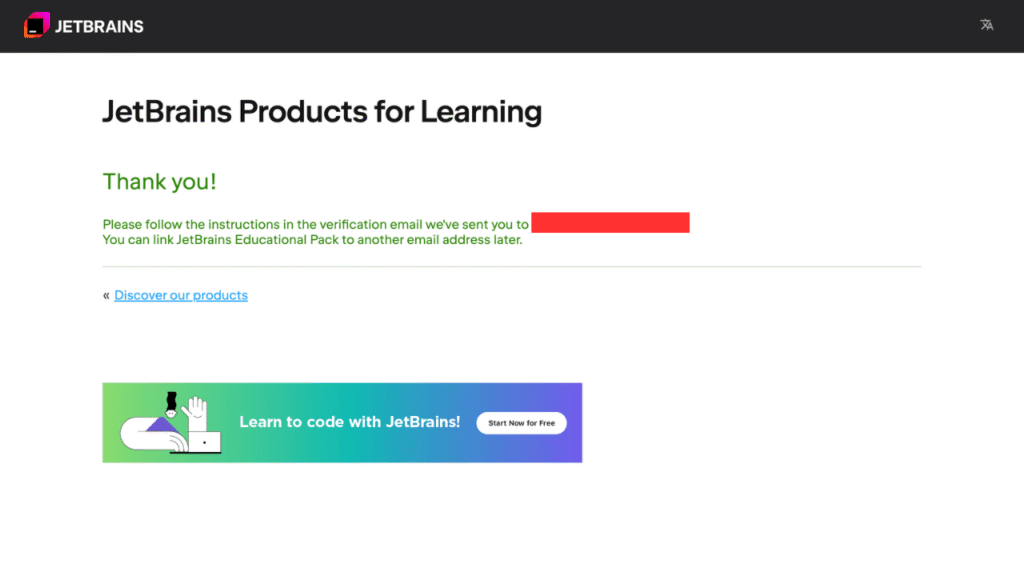
- Now after you fill and the information and click on Apply for free products you will be directed to the following page as you can see in Pic 13.
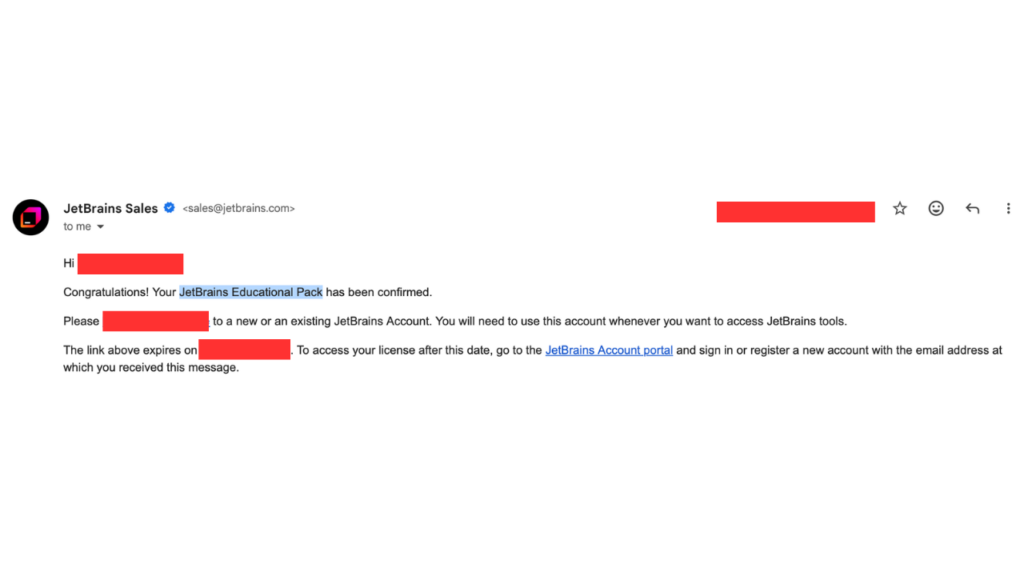
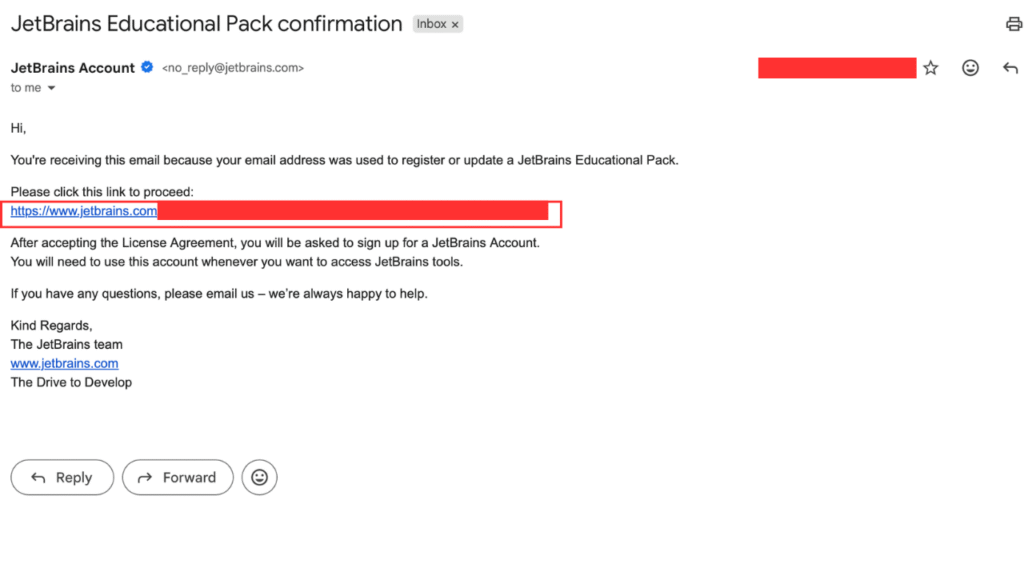
- Now go to your email and click on the link to proceed and now finally it will ask you to create your jetBrains account if you don’t have one or sign.
- You will receive you email with link to your free licence.
- CONGRATULATIONS YOU NOW HAVE JETBRAINS EDUCATIONAL PACK.
Step 3: Activate JetBrains Student Pack in Your IDE
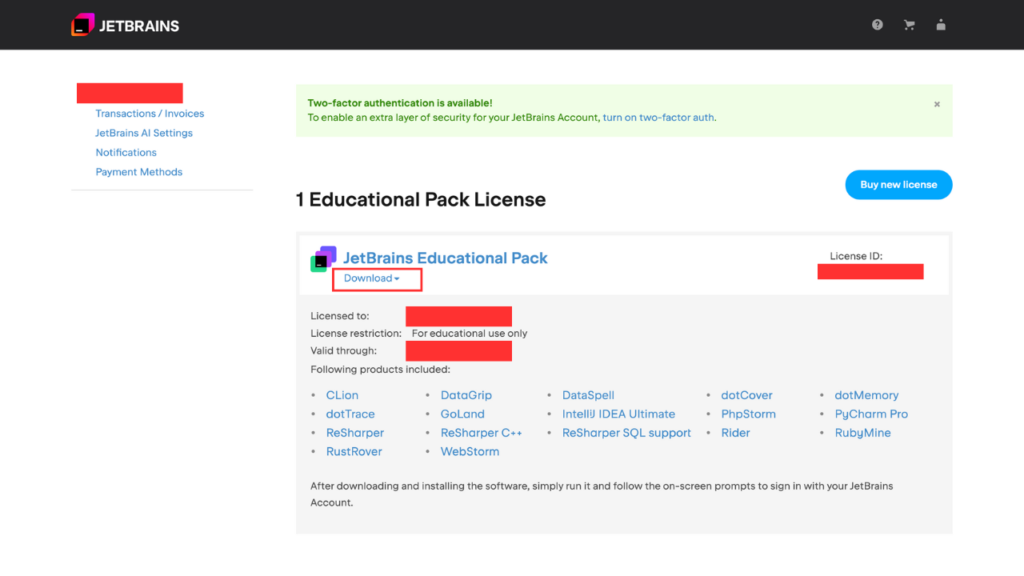
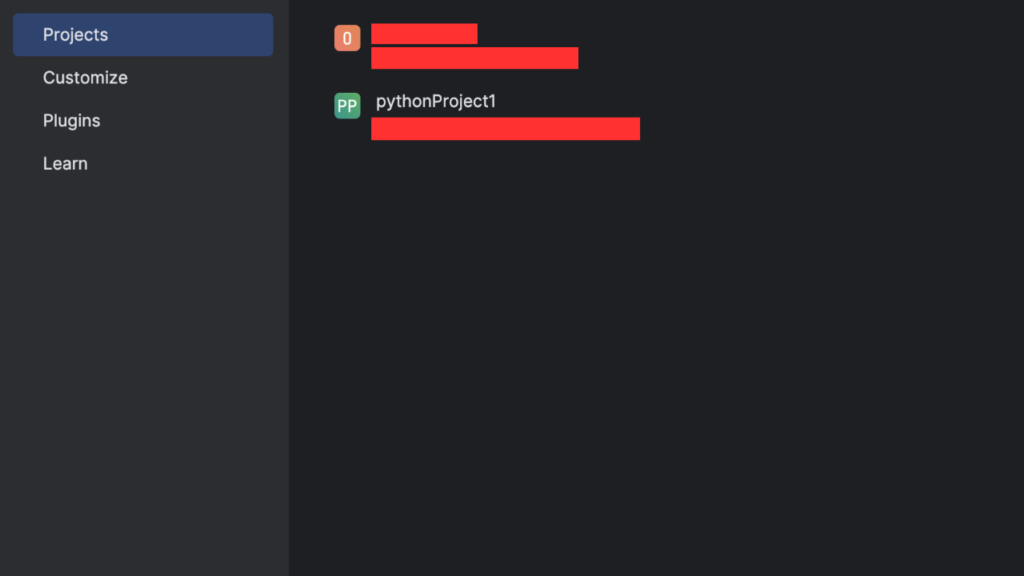
- Now you need you sign in or create your account and you will see the following screen as in Pic 16.
- Click on download and, download the software you want to use, for this i am downloading PyCharm Pro.
- Now simply install it and follow the instructions you see and you are now good to go.
How to Renew JetBrains Student Pack
Your JetBrains Student Pack isn’t lifetime you need to renew it every 12 months to keep full access. You will receive reminder email about 1–2 weeks before your license ends and a direct renewal link.
What happens if it expires
- Your IDE switches to limited trial mode
- Full features stop working
- You can’t use the tools for paid or commercial projects
Step-by-Step: Renewing Your Student License
Step 1: Log in to your JetBrains account
Go to JetBrains account and sign in using the same email you used for student verification.
Step 2: Open your licenses
- Click Licenses or Subscriptions on the dashboard.
- Find your Educational (Student) License.
- Click Renew.
- Repeat the steps above agin to verify your student status.
Conclusion
You’re all set with the JetBrains Student Pack, free pro-grade IDEs, and learning tools to power through assignments and build real projects.
Try different tools like IntelliJ IDEA, PyCharm, or any other tool you need, explore JetBrains Academy courses, and collaborate easily with Code With Me.
Remember to renew your student license every year, and after graduation, you can grab the 40% discount on the All Products Pack to stay ahead in your career.
Want more student-friendly guides like this? Check out our other posts on the blog for tools, tips, and resources to make college life easier.
FAQ
Q1) Can I use the JetBrains Student Pack for freelance or paid work?
A) No. The free student license is only for school, teaching, and non-commercial research.
You can’t use it for freelance jobs, paid side projects, internships, or company work.
If you’re earning money from your code, you’ll need a personal subscription (monthly options are available) or a business license from your employer.
Q2) Can you publish software with student license JetBrains?
A) Yes, but only for open-source or personal projects that make no money.
You cannot sell software or publish commercial products using a student license.
Stick to learning, open-source, and non-profit projects to stay within the rules.
Q3) Can you renew a JetBrains student license?
A) Yes. You can renew it every 12 months as long as you’re still a student or teacher.
JetBrains will email you a reminder. You just need to re-verify your student status
Q4) Is JetBrains AI free for students?
A) Yes basic AI features like code suggestions and completion are free with student IDE licenses.
Q5) Is JetBrains AI Pro free for students?
A) No, AI Pro has limits and needs its own subscription, even if you have student IDEs.
Q6) Is JetBrains Academy free for students?
A) JetBrains Academy offers some free tracks (like Kotlin Basics) for everyone.
With the Student Pack, you also get access to extra courses and learning plugins inside the IDE. Paid plans unlock more content, but students already get a lot for free.
Q7) Do I need to reinstall my IDEs after renewal?
A) No. You don’t need to reinstall anything.
After renewing, just sign out and back in to your JetBrains account or restart the IDE. Your new license activates automatically.
Q8) What happens to my projects after graduation?
A) You keep all your code and projects forever.
However, to keep using JetBrains IDEs after graduation, you’ll need a paid license. JetBrains offers a 40% graduation discount on the All Products Pack for two years, which makes the switch easier.