
Table of Contents
Introduction
Yes, Notion Education plan is free for eligible students and teachers when you sign up with your school email or through the GitHub Student Developer Pack.
The upgrade simply makes Notion feel unlimited. You can organize everything in one place, work with classmates, build your own system(2nd brain), and stop worrying about limits while studying or planning projects.
It’s really powerful tool for college or university students and teachers who want a smarter way to handle notes, assignments, group work, clubs, and daily planning.
It doesn’t take long at all. If you’ve got your school email or GitHub Student Pack ready, you can upgrade almost right away.
What Is the Notion Education Plan?
The Notion Education Plan is a free upgrade that gives students and teachers access to the full Notion Plus experience for personal (one-member) workspaces.
Normally, Notion Plus costs about $10 per month when billed yearly. But if you’re a student or teacher at an accredited college or university, you get the same core features for free after verifying with your school email.
Compared to the free plan, the Education Plan removes most limits and makes Notion feel much more flexible. You can organize as much content as you want, upload larger files, roll back changes if you mess something up, and invite plenty of people to collaborate.
It’s especially useful for students building class dashboards, note systems, project trackers, or club pages and for teachers managing lessons, resources, and student work in one place.
Who Is Eligible for the Notion Plus Student Plan?
Who Qualify
- You qualify if you’re a college or university student at an accredited institution listed in the World Higher Education Database (WHED).
- Teachers and educators at accredited colleges or universities also qualify for the education plan.
- Student-led organizations at verified higher-education institutions can qualify too. These use organization workspaces and usually apply after the school’s email domain is verified.
Who Is NOT Eligible
- You don’t qualify if you’re enrolled only in bootcamps or short courses that are not accredited or not listed in WHED.
- If you are a student but don’t have student email(.edu) address, ID cards and documentations as of now don’t work.
- If you’re self-taught and not currently enrolled anywhere, you won’t qualify for the student plan.
How to Get Notion Education (Step by Step)
There are two easy ways to get the Notion Education Plan, and both work just as well.
If you already have the GitHub Student Developer Pack, you can use that instead. This is a great option if your school email is slow to verify or you already use GitHub for coding.
or, you can upgrade using your school email, which is the most direct option if your college or university email is already active.
Method 1: Using GitHub Student Developer Pack
Step 1: Open Your GitHub Student Developer Pack Dashboard
- This is the method I personally used, and it’s the one I recommend because the GitHub Student Developer Pack gives you access to many other useful tools, not just Notion.
- Check out my post on How to Get the GitHub Student Developer Pack for Free if you don’t already have it.
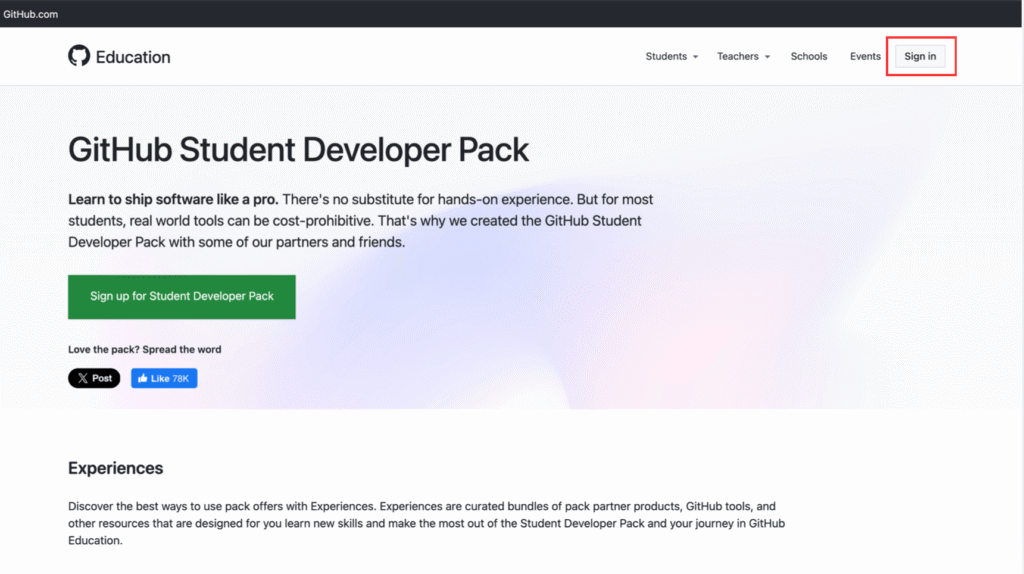
- To start, go to GitHub Student Developer Pack and sign in to your dashboard as you can see in Pic 1.
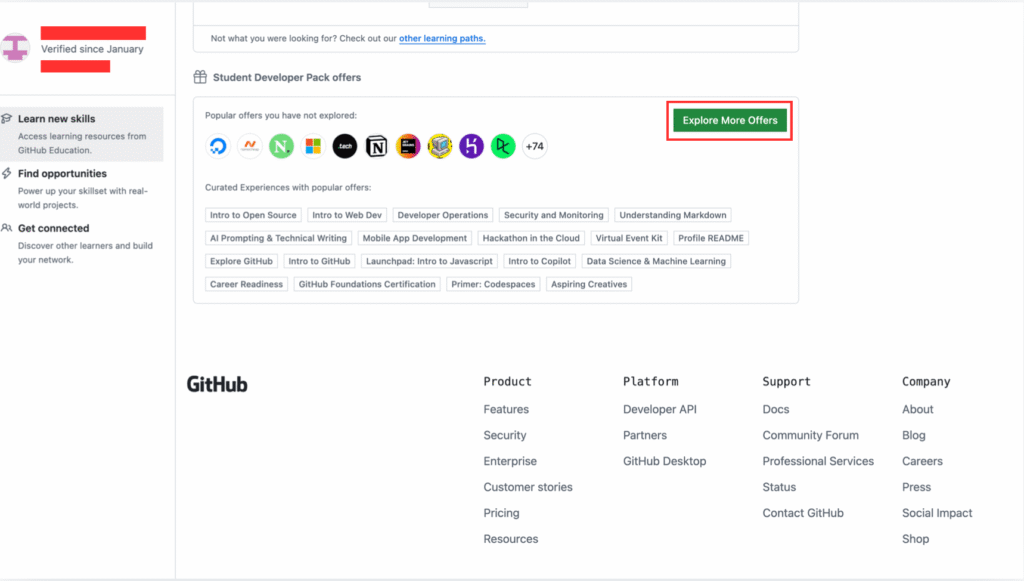
- Now scroll down and click on Explore more offers as you can see in Pic 2.
Step 2: Find the Notion Offer and Connect Your Account
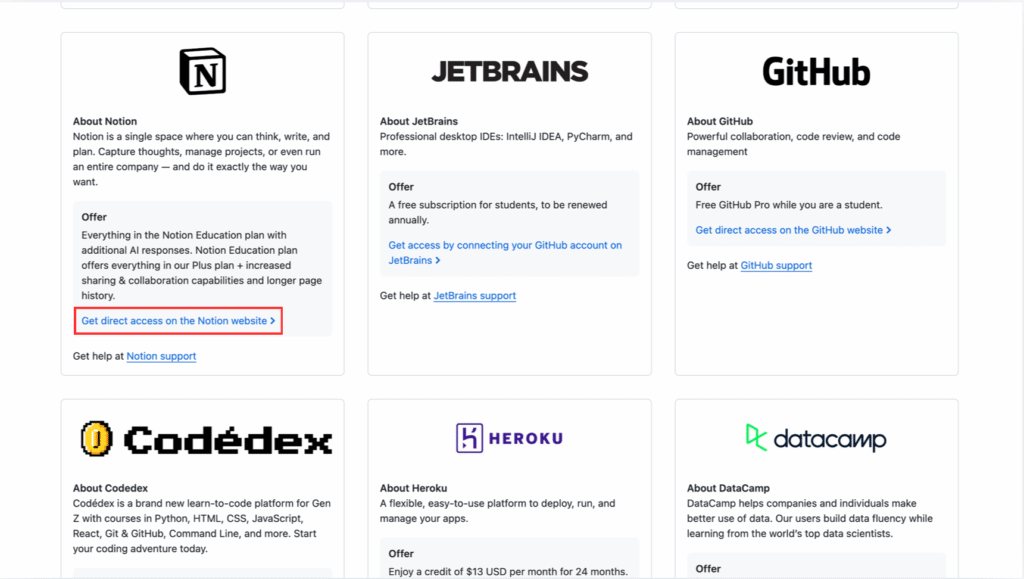
- Now you will be on page where you can see all the offers, so scroll down until you see notion offer.
- Click on Get direct access on the notion website as you can see in Pic 3.
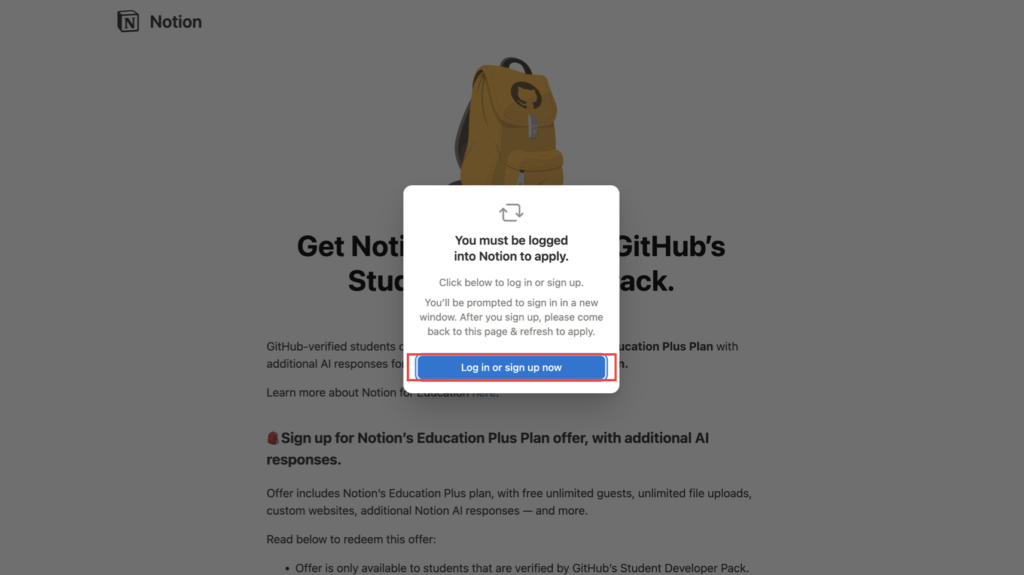
- It will take you to page as you can see in Pic 4 now sign in with you notion account or sign up if you don’t have one.
Step 3: Choose Your Workspace and Verify
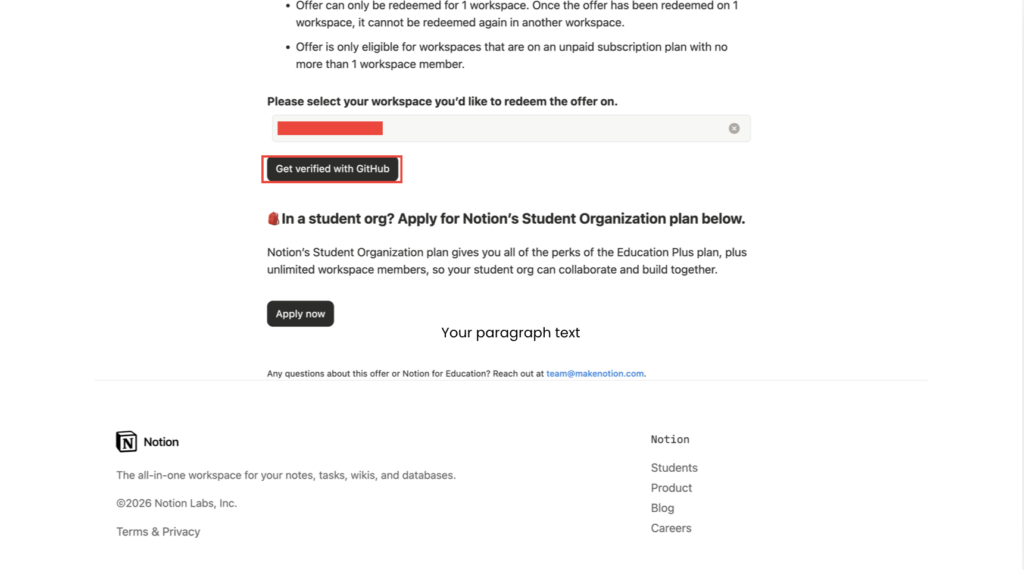
- After signing in you can see it will ask you the workspace you would like to redeem he offer, carefully select the one you want and remember you can do this with only 1 workspace.
- Now after selecting workspace click on get verified as you can see in Pic 5.
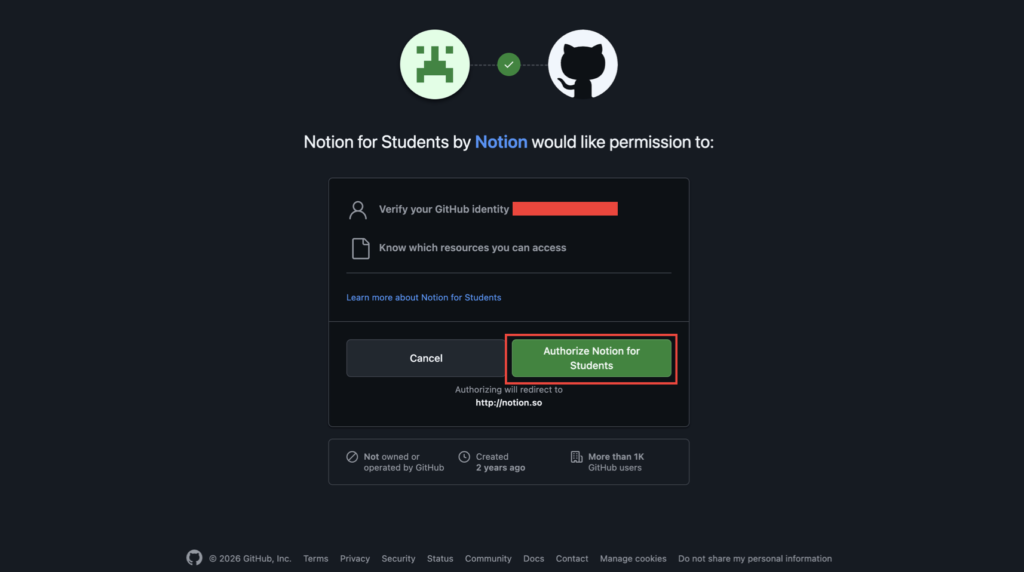
- You will be directed to following page as in Pic 6 click on Authorize notion for students.
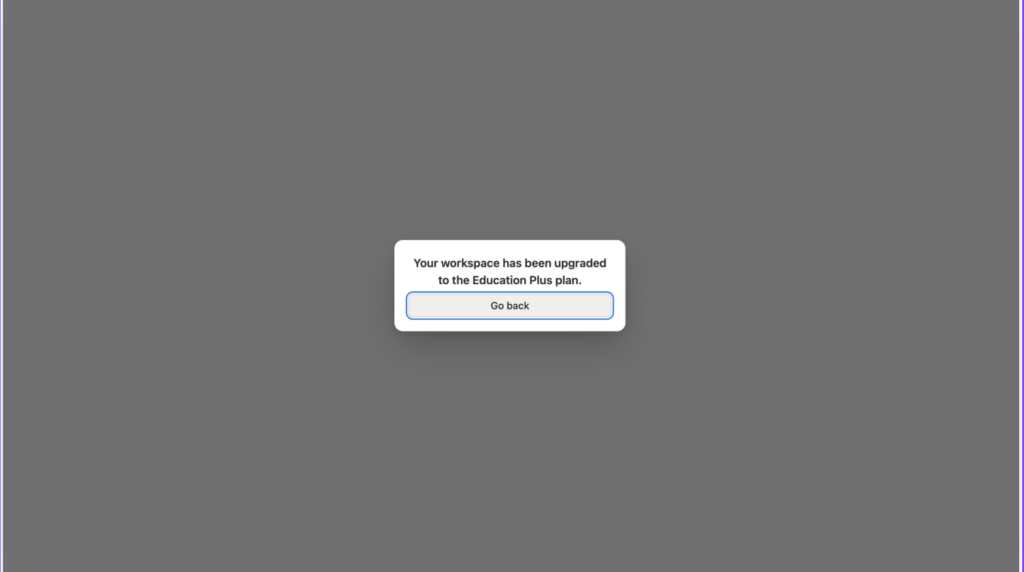
- Now if it is successful you see the following screen as in Pic 7, if not check again for the any mistakes you might have made.
Step 4: Confirm Your Notion Education Plan Is Active
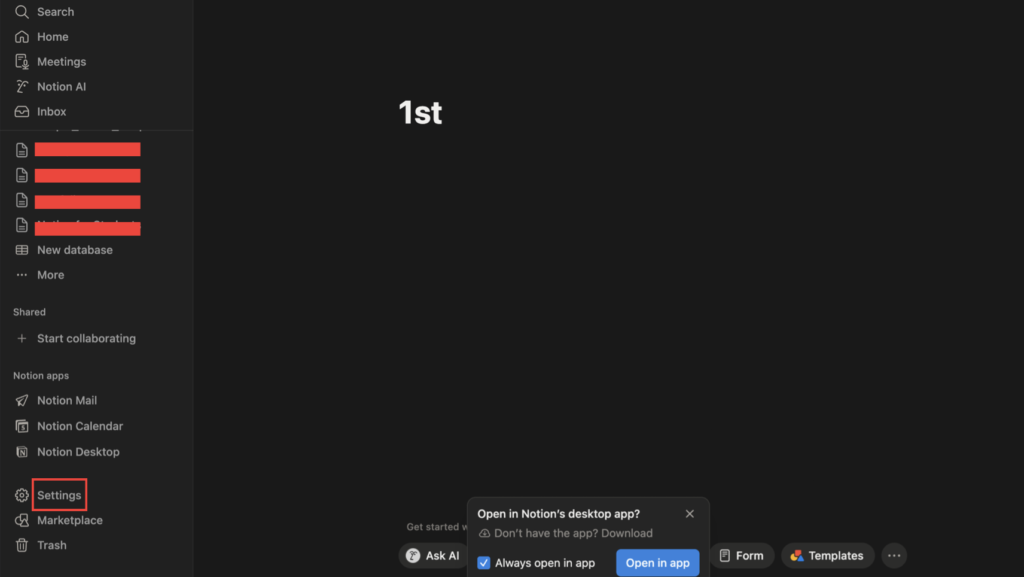
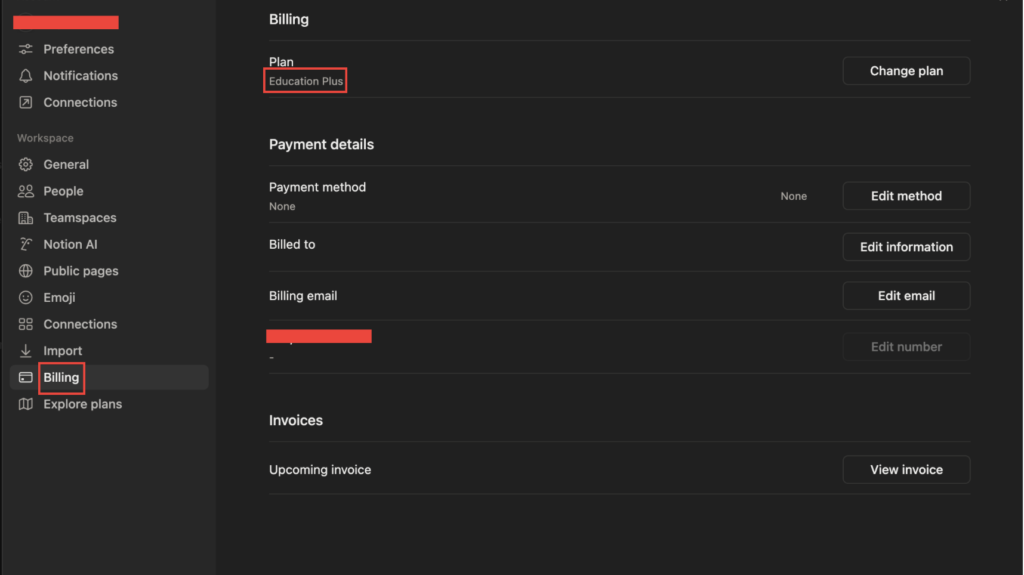
- Now to confirm that you have you notion education plan active, go to your notion dashboard in app or website.
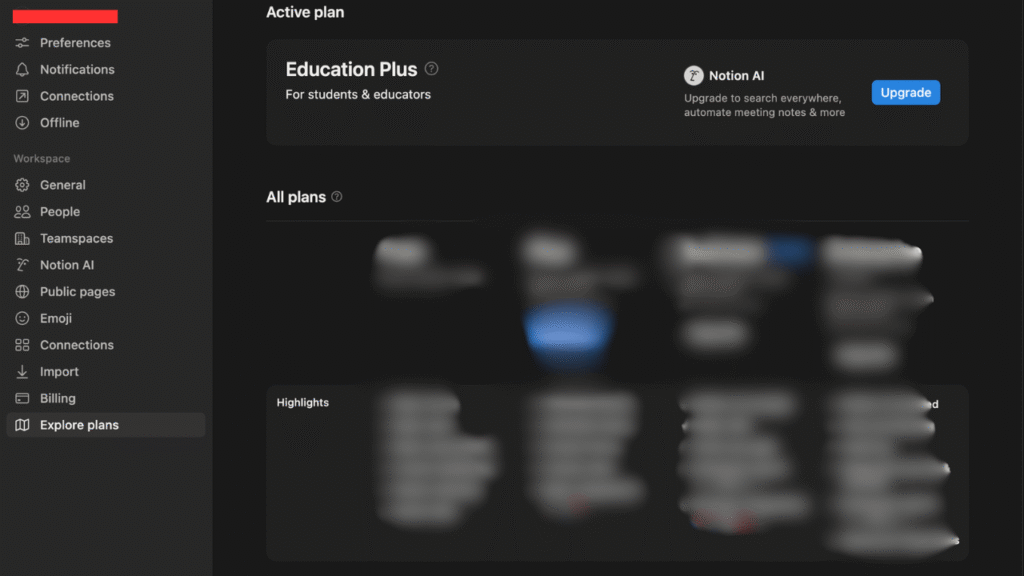
- Click on settings, then click on billing. Here under Plan you can see Education Plus, as in Pic 9.
- Congratulations now you can use notion and increase you productivity with AI and more features.
Method 2: School email address
step 1: Sign Up Using Your School Email
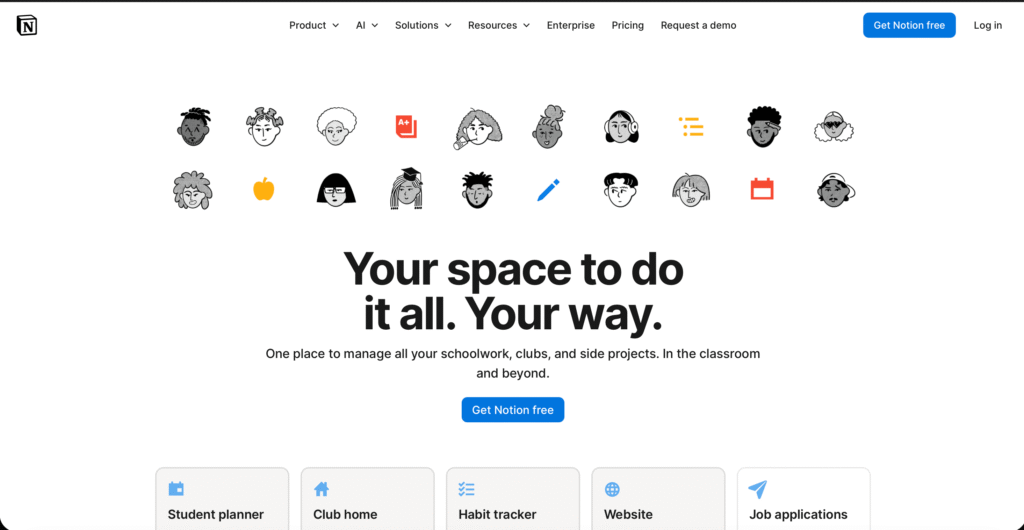
- Go to notion for education and click on get notion free.
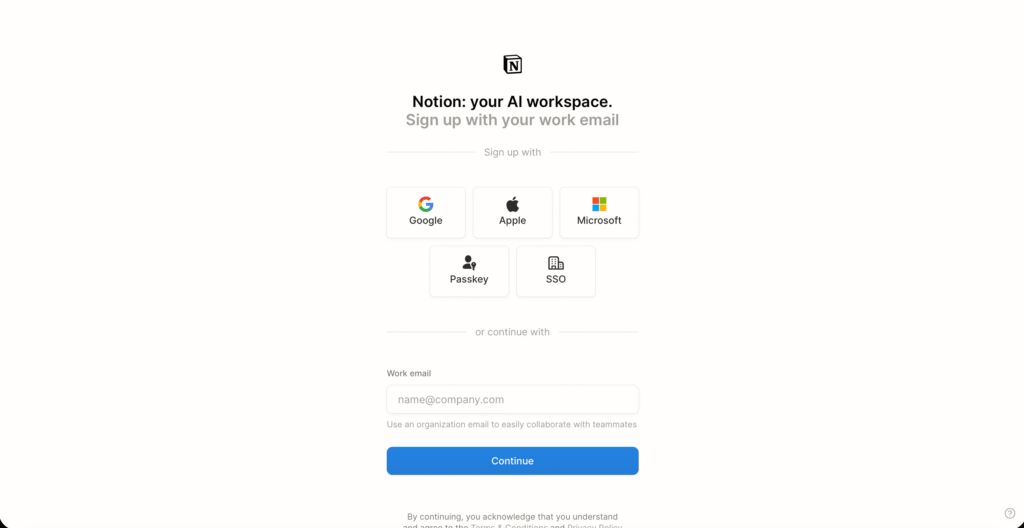
- Now you need to sign up with your school email address and set it up.
Step 2: Upgrade to the Education Plan
- After setting up, click on settings and on left side you can see upgrade plan.
- Scroll down and click on Get the Education Plan, after verifying your educational plan will be activated as you can see in Pic 12.
Common Problems & Fixes
Didn’t Get Notion Plus After Verification
First, make sure you’re on the Free plan, it won’t work if you are on paid plan and check you you sign up using school email as personal emails don’t work.
Student Email Not Accepted
Check if your school is listed in the World Higher Education Database (WHED).
If it is and you still had issues, contact Notion support and share proof of enrollment, such as a student ID or official document.
Lost Access to Education Plus
This usually happens if your eligibility ended (for example, you graduated or your school email changed).
If your school deleted your email account, log in using your password, update your email address, or contact Notion support to recover access.
Conclusion
If you’re a student or teacher, getting Notion Plus for free is one of the easiest upgrades you can make.
Once it’s active, you can stop worrying about limits and focus on what actually matters organizing your classes, notes, projects, and group work in one place. Whether you use Notion for studying, planning, or running a student club, the Education Plan gives you room to grow without paying anything.
If you qualify, there’s really no downside. Set it up once, keep your workspace clean, and build a system that works for you.
Now that everything’s ready, open Notion and start putting it to work.
FAQ
Q1) Is Notion Plus free forever for students?
A) Not exactly forever, but it stays free as long as you’re eligible.
If you’re an active student or educator with a valid school email, the Education Plus plan remains free.
Q2) What happens after graduation?
A) You keep all your pages and content nothing is deleted. However, your Education Plus access may end after graduation. At that point, you can stay on the Free plan or upgrade to a paid Plus plan if you want to keep the extra features.
Q3) Can educators get Notion Plus for free?
A) Yes. Individual teachers and educators at accredited colleges or universities can also get Notion Plus for free by signing up with their school email.
Q4) Can I use Notion Plus for commercial or freelance work?
A) Notion doesn’t strictly block commercial use on Education Plus like some software does. However, the student offer is meant mainly for academic and educational use. For full business or client work, Notion recommends using a paid workspace such as Plus, Business, or Enterprise.
Q5) Is Notion AI included for students?
A) Yes, but with limits. Education Plus includes the same AI trial or limited responses as the regular Plus plan (for example, a small number of AI prompts). If you want heavy or ongoing AI use, you’ll need to buy additional AI access or upgrade your plan.